


How to buy an expansion
From Settings to the store sheet, and what to do if you prefer Premium.
Each expansion is a one-time purchase, with no subscription: you pay once and it stays on your VidaBR account. Apple or Google does the charging, at the store price in your currency.
- 01
Check which account you're on
The purchase is tied to the VidaBR account logged in to the app. Before buying, open Settings, Account tab, and check that the email is your usual one.
Buying while logged in with one email and then signing in with another is the number one reason a purchase "disappeared".
- 02
Open the expansions
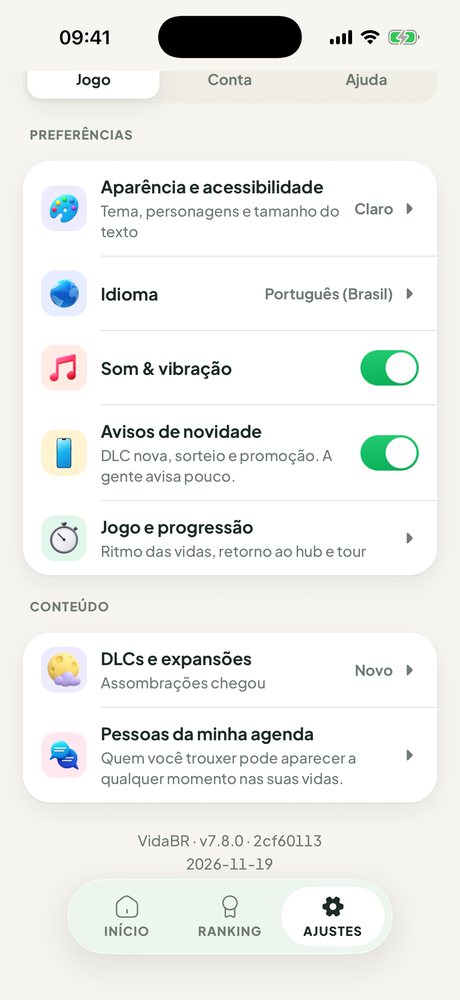
On the bottom bar of Home, tap Settings. On the Game tab, in the Content group, tap "DLCs and expansions".
- 03
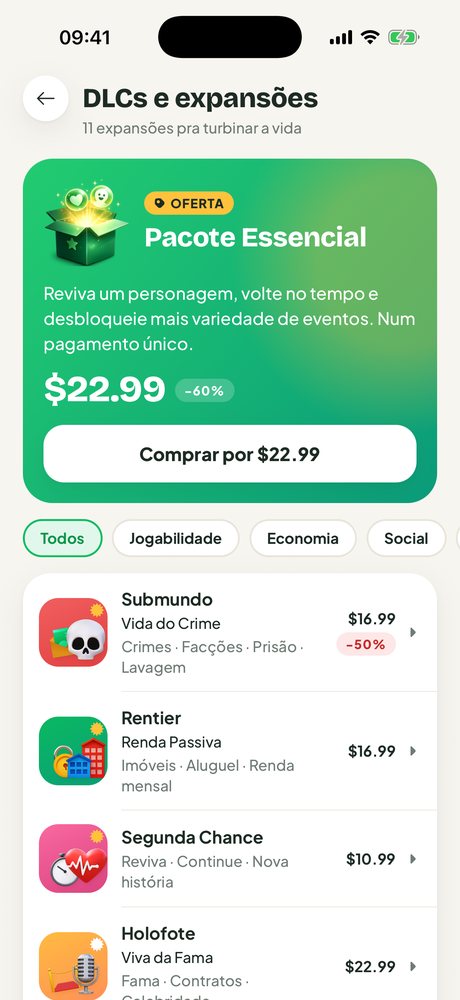
Pick the expansion
Tap the expansion to see the details: what it brings and how to start playing with it.
- 04
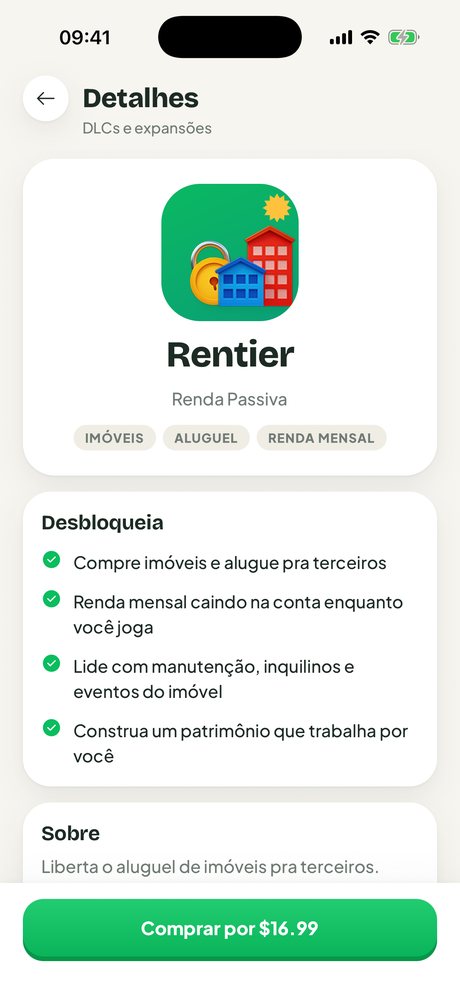
Tap buy
Tap "Buy for" and the price. The amount is the store's, in your currency.
- 05
Confirm in the store
The Apple or Google window opens. Confirm with your face, fingerprint or password. On Android you can also pay with PIX, Brazil's instant payment system.
- 06
Done
You'll see "DLC purchased! Enjoy the new options in the game." The expansion shows up in the list as yours and works in every life on that account.
Rather get it all at once? In Settings, "Unlock the full VidaBR" shows Premium, which unlocks every expansion.
Frequently asked questions
+Is an expansion a subscription?
No. It's a one-time purchase and it's yours forever, in any life on the same VidaBR account.
+Which expansions are there?
Submundo, Rentier, Segunda Chance, Holofote, Business, Política, Creator Mode, Agro and Hauntings, among others. The full list, with what each one brings, is in Settings, "DLCs and expansions".
+Premium or a single expansion?
Premium unlocks every expansion, plus unlimited lives and the monthly and weekly paces. If you only want one area of the game, a single expansion does it with one purchase.
+I switched phones. Do I lose the expansion?
No. Sign in with the same VidaBR email. If it doesn't show up, tap "Restore purchases" in Settings, Account tab.
+I bought it and it didn't show up. Now what?
Follow the "My purchase didn't show up" tutorial: most of the time it's a PIX payment still under review or a purchase made on another email.
+What if I delete my account?
The expansions you bought go with it, with no refund. Think it over first.